QSR & Fast-Casual POS for Multi-Location Chains
Offline-first architecture. Omnichannel inventory. Central control. Built for operators who cannot afford downtime.
- Counter, kiosks, apps, and delivery on one platform
- Full operation continues when the network fails
- Central menu, pricing, and promotion control across all locations
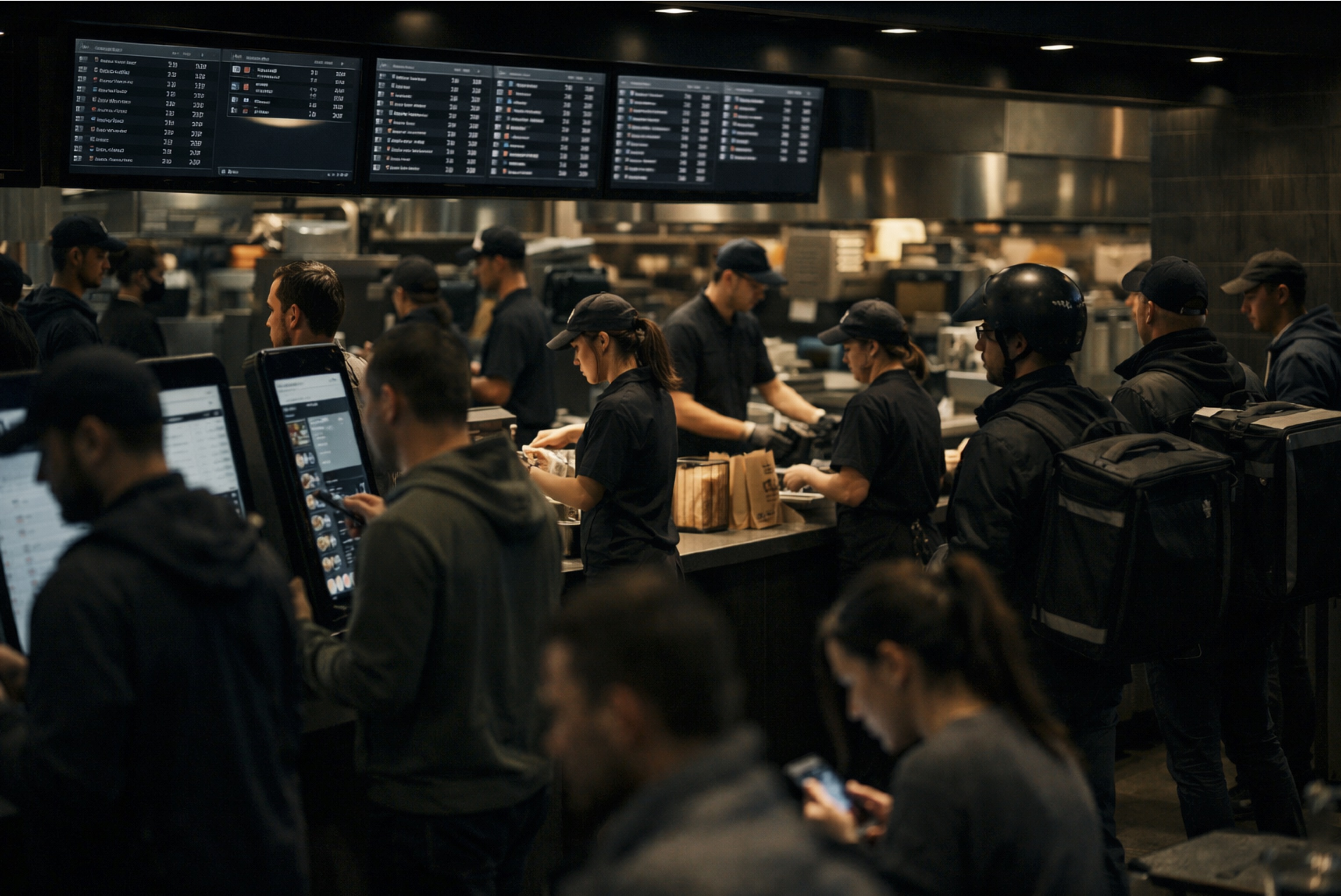
Why QSR breaks generic POS systems
Generic POS assumes reliable internet. QSR operates where networks fail under load.
Generic POS treats channels separately. QSR needs unified inventory across counter, kiosks, apps, and delivery.
Generic POS uses integrations. QSR needs native kiosk, KDS, and delivery aggregator support.
Generic POS manages one location. QSR chains need central control with local execution.
Generic POS locks you to proprietary hardware. QSR operators need vendor independence.
Generic POS charges per transaction. QSR volume makes per-transaction fees unsustainable.
What breaks when your POS was not built for QSR
These are not edge cases. These are daily realities for multi-location operators.
Network dependency during peak hours
Generic POS systems require constant connectivity. When the network drops during lunch rush, the entire line stops.
What breaks: Lost sales, customer walkouts, crew confusion, and manual workarounds that create inventory errors.
Kiosk orders on a separate system
Most QSR operators run self-order kiosks on vendor-locked systems that do not share inventory or pricing with the counter.
What breaks: Double ordering of ingredients, pricing mismatches, and no unified view of what is selling.
Delivery aggregators treated as external
Uber Eats, DoorDash, and other aggregators push orders into a separate tablet, not the kitchen queue.
What breaks: Kitchen bottlenecks, missed tickets, incorrect prep times, and customers waiting at the door.
Inventory not deducted in real time
When a customer orders through the app, the counter may sell the last portion before the app order syncs.
What breaks: Overselling, refunds, negative reviews, and wasted labor fulfilling orders that cannot be made.
Promotions managed per location
Running a chain-wide promotion means updating every terminal, kiosk, and app configuration manually.
What breaks: Inconsistent pricing, legal risk, and regional managers spending hours on configuration instead of operations.
No central menu control
Menu changes require physical presence or remote desktop sessions to each location.
What breaks: Delayed rollouts, version mismatches, and stores selling discontinued items.
Loyalty programs that do not cross channels
Points earned in-store do not appear in the app. Rewards redeemed online do not sync to the counter.
What breaks: Customer frustration, double redemptions, and loyalty programs that cost more than they return.
Kitchen display systems from another vendor
The KDS runs on a separate platform, requiring integration that breaks with every POS update.
What breaks: Orders not appearing, incorrect routing, and IT spending days troubleshooting after updates.
Reporting that only shows one channel
Sales from the counter, kiosks, apps, and delivery appear in different reports with different formats.
What breaks: No real picture of business performance. Decisions made on incomplete data.
Staff scheduling disconnected from forecasts
Labor is scheduled based on intuition, not on historical sales patterns per channel and time slot.
What breaks: Overstaffing during slow hours, understaffing during peaks, and labor cost that eats into margin.
Hardware locked to the vendor
The POS only runs on proprietary hardware that costs three times market price and cannot be replaced.
What breaks: Budget locked to one vendor, no negotiation leverage, and hardware failures that take days to resolve.
Payment processor tied to the POS
The vendor takes a cut of every transaction or forces their payment provider.
What breaks: Higher processing fees, no ability to negotiate rates, and margin erosion at scale.
How Yakuma solves it
Not workarounds. Architectural solutions built into the platform.
Problem:
Network goes down during rush
Yakuma:
Yakuma operates fully offline. Every terminal, kiosk, and kitchen display continues processing orders. Sync happens when connectivity returns—no manual intervention.
Problem:
Kiosks run on a separate system
Yakuma:
Yakuma self-order kiosks share the same menu, pricing, inventory, and loyalty engine as the counter. One system, one truth.
Problem:
Delivery aggregators cause kitchen chaos
Yakuma:
All delivery orders flow directly into the unified kitchen queue with proper timing and routing. The kitchen does not know—or care—where the order came from.
Problem:
Inventory errors from multi-channel sales
Yakuma:
Real-time inventory deduction across counter, kiosks, apps, and delivery. When an item runs low, all channels know instantly.
Problem:
Promotions are a manual nightmare
Yakuma:
Central promotion engine pushes to all channels and locations in seconds. Schedule campaigns, set regional variations, and track redemption from one dashboard.
Problem:
Menu changes take days to roll out
Yakuma:
Publish menu updates to every terminal, kiosk, and app instantly. Changes propagate even when locations are offline—they apply on next sync.
Problem:
Loyalty points do not sync
Yakuma:
Unified loyalty engine works across all touchpoints. Points earned anywhere are redeemable anywhere. One customer profile, one balance.
Problem:
KDS integration is fragile
Yakuma:
Yakuma KDS is native to the platform. No integration to maintain. Updates happen together. Routing rules are set centrally.
Problem:
Reports do not show the full picture
Yakuma:
Unified reporting across all channels, all locations, all time periods. Compare counter vs kiosk vs app vs delivery in the same dashboard.
Problem:
Staff scheduling is guesswork
Yakuma:
Labor forecasting based on historical sales by channel, day, and hour. Recommendations adjust automatically as patterns change.
Offline-first POS for QSR
Not "offline-capable." Offline-first. The cloud is for sync, not for operation.
Every transaction processes locally. No cloud required during service.
Kitchen displays continue routing orders when the network drops.
Payment terminals process cards offline with store-and-forward.
Inventory tracking continues without interruption—sync happens later.
When the network fails at 12:30 PM on a Friday, your operation does not stop. The line keeps moving. The kitchen keeps producing. Sales keep processing. That is what offline-first means.
One inventory, all channels
Counter. Kiosks. Mobile app. Delivery aggregators. One pool of inventory. One source of truth.
Counter, kiosks, apps, and delivery share one inventory pool.
When an item sells out, every channel knows within seconds.
Promotions apply consistently across all touchpoints.
Customer loyalty works the same whether they order in person or online.
Counter
Kiosks
Mobile App
Delivery
Who this is for—and who it is not for
Yakuma is built for:
- Multi-location QSR and fast-casual chains
- Operators running multiple order channels (counter, kiosks, apps, delivery)
- Chains that cannot afford downtime from network failures
- Organizations that need central control with local execution
- Brands that require fully custom apps under their own identity
Yakuma is not built for:
- Single-location operations with simple workflows
- Businesses that only need a cash register
- Operators looking for the cheapest monthly fee
- Restaurants satisfied with generic tablet POS
If your business fits inside one store, you do not need Yakuma.
Yakuma adds value when operational complexity demands unified control across locations, channels, and systems. For simple operations, lighter solutions will cost less and work fine.
QSR POS: Questions answered
Direct answers to what QSR operators actually ask.
Q: What is a QSR POS?
A: A QSR POS (Quick-Service Restaurant Point of Sale) is a system designed for high-volume, fast-paced restaurant operations. Unlike general restaurant POS systems, QSR POS handles rapid transactions, multiple order channels (counter, kiosk, drive-thru, delivery), and kitchen routing for speed-focused service. Enterprise QSR POS systems like Yakuma also provide offline operation, central menu control, and unified inventory across all locations.
Q: What is the difference between QSR POS and fast-casual POS?
A: QSR (Quick-Service Restaurant) focuses on speed and volume—think burger chains and coffee shops. Fast-casual adds customization and a slightly elevated experience—think Chipotle or Sweetgreen. The POS requirements overlap heavily: both need offline capability, kiosk integration, delivery management, and multi-location control. Yakuma handles both models with the same platform, adjusting workflows per concept.
Q: Why do QSR chains need offline-capable POS?
A: QSR locations often operate in high-traffic areas where network congestion is common. During peak hours, even brief connectivity drops cause transaction failures, customer delays, and lost revenue. An offline-first POS like Yakuma processes every order locally and syncs when connectivity returns. The kitchen never stops, the line never pauses, and sales are never lost to network issues.
Q: How does Yakuma integrate self-order kiosks?
A: Yakuma kiosks run the same software as the counter terminals. They share the same menu, pricing, promotions, inventory, and loyalty engine. Orders from kiosks route directly to the kitchen display with the same priority as counter orders. There is no integration to maintain—it is one system, not two systems connected by an API.
Q: Can Yakuma handle delivery aggregators like Uber Eats?
A: Yes. Yakuma receives orders from Uber Eats, DoorDash, Deliveroo, Glovo, and other aggregators directly into the kitchen queue. Orders are prioritized by promised pickup time, not arrival time. Inventory is deducted in real time, so an item sold through delivery will not be sold again at the counter.
Q: How does Yakuma manage inventory across channels?
A: Yakuma maintains a single inventory count that all channels reference. When a customer orders a burger through the app, the patty count decreases before the counter can sell it. When stock runs low, the item can be automatically hidden from all order channels. This prevents overselling and eliminates refunds from out-of-stock situations.
Q: What happens if the internet goes down during service?
A: Nothing changes for the operators. Yakuma stores all data locally and operates without any cloud dependency during service. Orders are taken, payments are processed, kitchens receive tickets, and inventory is tracked. When connectivity returns, everything syncs to the central database automatically. No manual reconciliation required.
Q: How do multi-location QSR chains manage menus with Yakuma?
A: Menu management is centralized. Operators create base menus, regional variations, and location-specific overrides from one interface. Changes publish instantly to all terminals, kiosks, and apps. Locations can be grouped by region, concept, or any custom criteria. The system handles timezone differences and scheduled launches automatically.
Q: Does Yakuma work with any hardware?
A: Yes. Yakuma runs on any Windows PC, eliminating hardware lock-in. Use the terminals you already have, source from any vendor, or mix hardware across locations. This flexibility reduces capital costs and gives operators negotiating power with hardware suppliers.
Q: Can Yakuma integrate with our existing ERP?
A: Yakuma integrates with any ERP through its Enterprise Integration Hub. Standard integrations exist for major platforms. For custom ERPs, the API allows real-time sync of sales, inventory, and financial data. Data flows both ways—ERP changes can push to the POS, and POS transactions flow back to the ERP.
Q: How does pricing work for multi-location QSR chains?
A: Yakuma charges per location, not per transaction or per terminal. Unlimited terminals per location means scaling does not increase software costs. No transaction fees, no payment processing cuts. This predictable model lets operators forecast costs accurately and protects margin as volume grows.
Q: Is Yakuma suitable for single-location restaurants?
A: Yakuma is built for multi-location operators. Single-location restaurants benefit from Yakuma only if they have complex operations—multiple order channels, kiosks, apps, and delivery integration—or if they plan to scale. For simple single-store operations, lighter solutions may be sufficient. Yakuma adds value when operational complexity demands unified control.
Running real chains. Every day.
"Yakuma has powered our chain since 1999. Zero outages and total flexibility."
Restaurant chain owner
Italy
"Every new store launches in minutes with our custom templates."
Retail operations manager
Spain
"We replaced a major US vendor with Yakuma and cut costs by 60%."
Franchise director
Canada
We can connect you with real operators running Yakuma in production.
Request an introductionWondering how Yakuma compares to other QSR POS solutions?
See Yakuma vs Competitors ComparisonReady to discuss your QSR operation?
No generic demos. We will walk through your specific locations, channels, and challenges.
Request Enterprise Demo